The shared to-do list to move forward as a group
Class homework, team assignments, club training sessions, family errands: with Lumina groups, everyone sees the same task list, and everyone checks off what they’ve done.
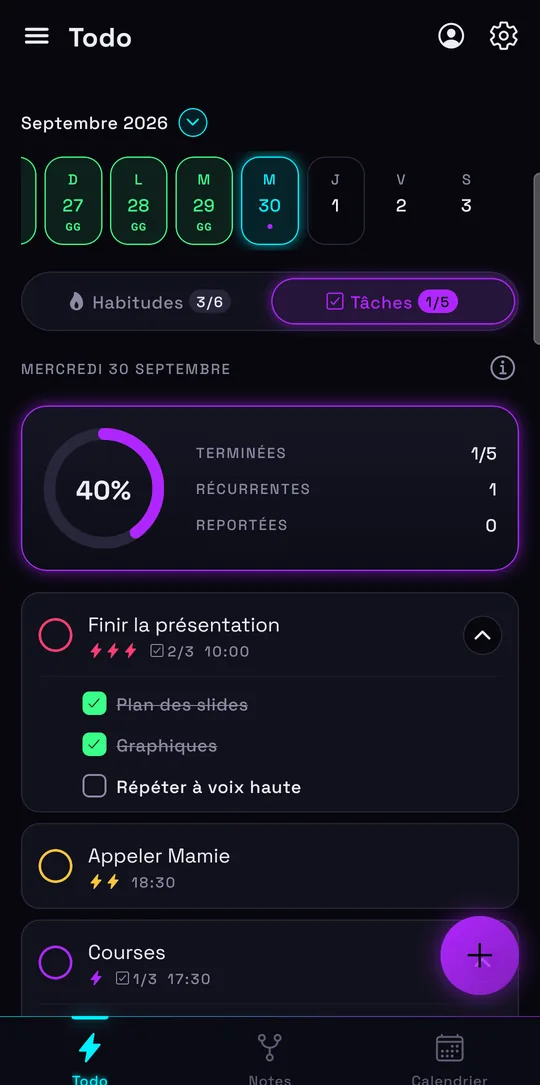
How to create a group task list
Groups are shared online, so you need to be signed in with Google to create or join one. After that, it’s quick:
- Open the menu, then Groups, and create a group: a name and, if you want, a description.
- Invite participants with their Google email address. They see the invitation in Lumina and join in one tap.
- Add tasks to the group: homework, assignments, errands, gear to bring…
- Everyone checks off what they’ve done, and you see who has finished.
The group’s tasks show up in each member’s day, next to their own tasks.
For a class: shared homework and due dates
A teacher, a class rep or a project group can post the homework to do and the due dates. No more “wait, when was that due?” in the class chat: the instructions are in the same place for everyone.
On the student side, the group task lands in their day, alongside their own studying. To organize the rest of your studies, check out our student planner.
For a team or a company: assignments without the overhead
Not every team needs project management software. For today’s assignments, priorities and simple follow-up, a Lumina group is enough:
- Clear roles: group managers create and edit tasks, members check them off.
- Invitations go out by email, with no setup.
- Everyone sees at a glance what’s left to do.
And since everyone keeps their own space, your personal tasks stay yours: the group only sees the group’s tasks.
Does your team need many projects or a large shared workspace? Our comparison with Todoist says when to keep a fuller tool.
For a sports club or a family
In a club, the group is for preparing training sessions, matches and team tasks: who brings the balls, who handles carpooling, who washes the jerseys. In a family, it’s the grocery list, the chores or the paperwork to send in.
For the schedule of matches or appointments, show your Google Calendar in Lumina, next to the group’s tasks. And to keep everyone motivated day to day, there’s habit tracking.
Shared, but respectful of your data
Lumina shows no ads and sells no data. Groups are only used to share tasks between their members, and you can leave a group whenever you want.
The free version lets you create one group and join as many as you want. Student and Pro let you create as many as you like. Members use the Android app or the web app, on iPhone, iPad, Mac or PC.
Frequently asked questions
Do I need an account to share a to-do list?
Yes, groups require Google sign-in, since they’re shared online. The rest of Lumina (habits, personal tasks, notes) works without an account.
Do members have to install an app?
They can use the Android app on Google Play or the web app in their browser, including on iPhone and on a computer.
Are groups free?
Yes. The free version lets you create one group and join as many as you want. Student and Pro let you create unlimited groups.
Who can add tasks to the group?
Group managers create, edit and delete tasks. Members see the tasks and check off the ones they’ve done.
Can I see who did what?
Yes. Everyone checks off what they’ve finished, and managers see who finished each task.
Other ways to get organized
Track your habits
Streaks, daily goals, reminders and widgets: a free habit tracker that keeps you going.
Organize your studies
Homework, studying and classes in a student planner linked to Google Calendar.
Bring tasks and calendar together
Your dated tasks and Google Calendar events in the same calendar.
Discover Lumina
Every feature, the 9 themes and the app’s pricing.
Ready to try it? It’s free.
No ads, no account required, on Android and in your browser.