Todoist alternative: when to switch to Lumina, and when to stay
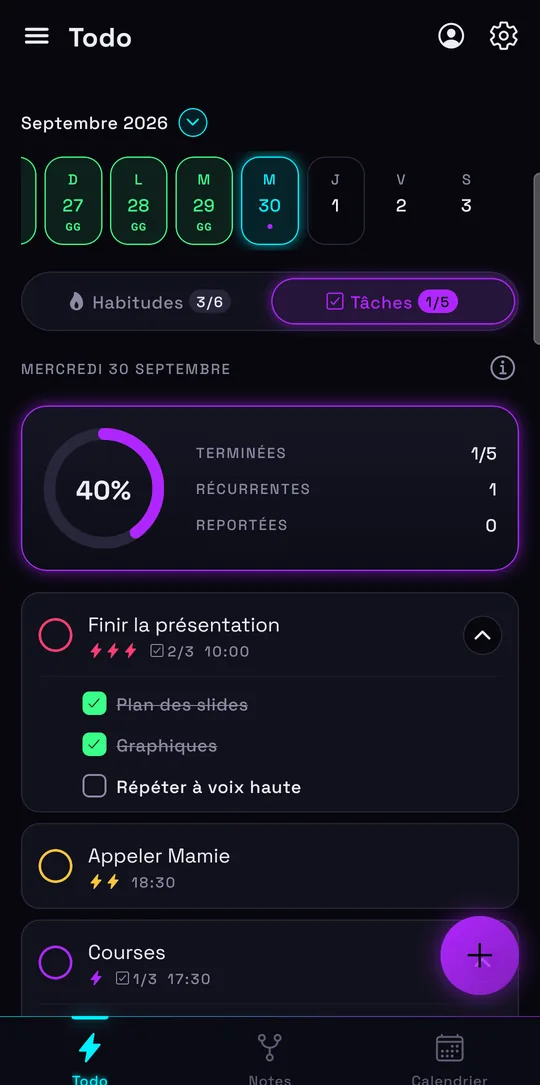
Todoist is a solid task manager: projects, filters, more than 90 integrations and apps for nearly every device. Lumina starts from a different idea: your tasks, habits, notes and Google Calendar in one app. Here’s what really changes, including what Lumina doesn’t do.
The short answer
If your work relies on many projects, labels, filters and connected tools, keep Todoist: Lumina doesn’t try to do that. If you’d rather see your day in one place, with your tasks, habits and calendar, and a playful side keeps you going, Lumina is worth a try.
Both have a free version. The simplest test is to import one of your Todoist projects into Lumina and compare for a week.
Lumina and Todoist, side by side
| Criterion | Lumina | Todoist |
|---|---|---|
| Free version | No time limit, no ads: 3 habits, 10 tasks per day, 1 group created | 5 personal projects, 3 filter views, 1 week of activity history |
| Individual plan | Student: €2.49 a month or €19.99 a year. Pro: €4.99 a month or €39.99 a year | Pro: $7 a month or $60 a year (€7 or €60) |
| Plan for several people | Team (10 people): €9.99 a month. Class (35 people): €19.99 a month | Business: $10 per user per month, or $8 billed yearly, plus local tax |
| Organization | By day, with time, priority, subtasks and recurrence. No projects or labels | Projects, sections, labels, filters, list and board layouts; calendar layout with Pro |
| Habits | A dedicated space: streaks, daily goal, several reminders | Recurring tasks, Habit Tracker extension, Karma points |
| Google Calendar | Five views; create, edit, move and delete events in the app | Events shown read-only; tasks can sync to the calendar; Outlook supported too |
| Notes | Notes linked to each other, to tasks and to habits, as a graph or a list | Task descriptions and comments |
| Offline | Works offline, without an account | Works offline if you logged in to your account first |
| Working together | Groups with roles and per-member progress; Google sign-in required | 5 people per personal project; team workspace, up to 1,000 members with Business |
| Devices | Android and web app (iPhone, iPad, Mac, PC in the browser) | Linux, Mac, Windows, iPhone, iPad, Android, Apple Watch, Wear OS, browser extensions |
| Integrations | Google Calendar; import from Todoist and Google Tasks | More than 90 integrations |
| Playful side | XP, levels, achievements, companions, 9 themes | Karma, 4 themes (8 with Pro) |
Todoist’s prices are those of its official pages on November 7, 2026, and may change or vary by country. The links are at the bottom of this page.
When to keep Todoist
Switching apps costs time. You probably won’t gain anything in these cases:
- You manage many projects. Todoist Pro allows 300 personal projects, with sections, labels and 150 filter views. Lumina sorts your tasks by day.
- Your tools have to talk to each other. Lumina stops at Google Calendar and imports; Todoist lists more than 90 integrations.
- You live in the Apple ecosystem. Todoist has apps for iPhone, iPad, Mac and Apple Watch. Lumina isn’t on the App Store: on those devices, it’s the web app.
- Your calendar is in Outlook. Todoist connects to it; Lumina only handles Google Calendar.
- You rely on voice capture or AI. Todoist offers voice capture and AI assistants. Lumina has neither: its quick add reads the date, time and priority from what you type.
- Your team is more than a small group. Business comes with a team workspace, activity logs and centralized billing. Lumina groups are meant for a class, a club or a small team.
When Lumina is the better fit
Lumina makes sense if you currently need several apps to run a single day:
- Your habits matter as much as your tasks. They have their own space, with streaks, daily goals and reminders, next to your to-do list.
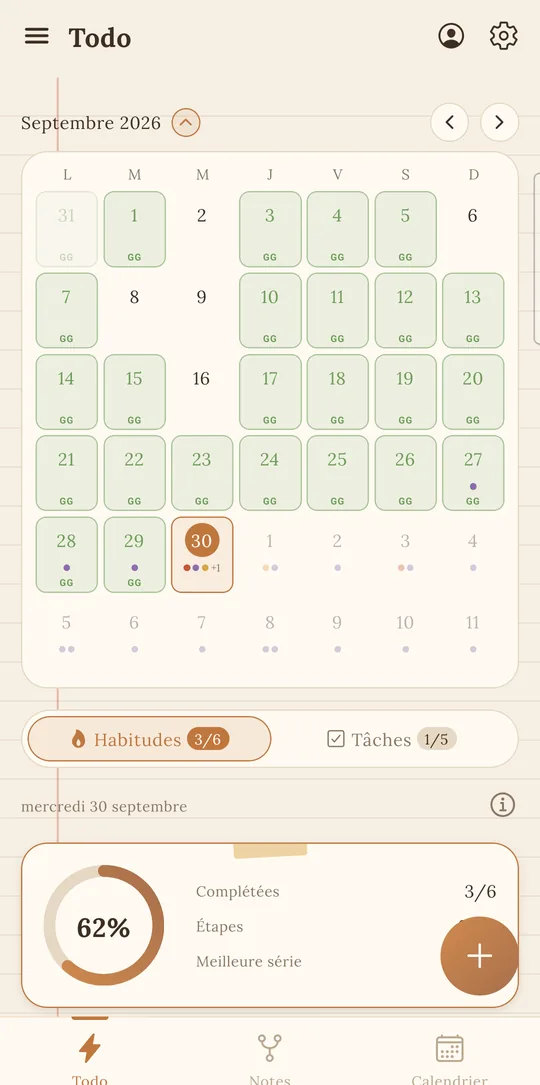
- You want to edit your calendar on the spot. In Todoist, events are read-only. In Lumina, you create, move and edit them directly, for free.
- You want it all in one app. Linked notes, a Pomodoro timer tied to a task, statistics and shared groups are included.
- You don’t want an account. Lumina works without signing up and offline. Google sign-in is for sync, the calendar and groups.
- You’re on a tight budget. Student costs €19.99 a year, and no version shows ads. For school, see the student planner.
Lumina comes in 6 languages: French, English, German, Spanish, Italian and Portuguese.
Moving from Todoist to Lumina
Lumina imports Todoist’s CSV export, one file per project:
- In Todoist on the web or desktop app, open a project, then the three-dots menu, then Import & export, and pick Export to CSV.
- In Lumina, open settings and choose “Import from Todoist or Google Tasks”.
- Pick the file: Lumina shows how many tasks it found before importing.
- Repeat for each project. Importing the same file twice creates no duplicates.
What comes across: unfinished tasks, with their priority, due date, description and subtasks. A few limits to know first:
- A recurring date doesn’t become a recurring task: it’s kept as text in the task’s note, and you set the recurrence again by hand.
- Sub-sub-tasks join the same level of subtasks: Lumina has only one.
- Projects, sections, comments and completed tasks aren’t brought over.
- The free version stops at 10 tasks per day. After moving to Student or Pro, import the file again: only the missing tasks are added.
Sources and date checked
Information about Todoist checked on November 7, 2026, on its official pages. Todoist is a trademark of its owner, unrelated to Lumina.
Frequently asked questions
Is Lumina really free?
Yes, with no time limit and no ads: 3 habits, 10 tasks per day and 1 group created. Student (€19.99 a year) lifts those limits, and Pro (€39.99 a year) adds all your Google calendars, advanced statistics and streak freezes.
Can I import my tasks from Todoist?
Yes, with the CSV export of each project. Unfinished tasks, priorities, due dates, descriptions and subtasks come across. Recurring dates stay as text in the task’s note: you set the recurrence again by hand.
Can Todoist track habits?
Yes, with recurring tasks and the Habit Tracker extension, which shows a streak in the task description. Lumina has a dedicated habits space, with daily goals and several reminders.
Does Lumina have an iPhone app?
Not on the App Store. On iPhone, open lumina-app.me/app in Safari, then tap “Add to Home Screen”. If you want a native app on iPhone, Mac or Apple Watch, Todoist meets that need better.
Can Lumina replace Todoist for a team?
For a class, a club or a small team sharing tasks, yes. For a large team that needs a shared workspace, many projects and activity logs, Todoist Business is a better fit.
Other ways to get organized
Compare with Habitica
A role-playing game or your whole day in one place: what changes, and when to keep Habitica.
Track your habits
Streaks, daily goals, reminders and widgets: a free habit tracker that keeps you going.
Bring tasks and calendar together
Your dated tasks and Google Calendar events in the same calendar.
Discover Lumina
Every feature, the 9 themes and the app’s pricing.
Ready to try it? It’s free.
No ads, no account required, on Android and in your browser.