The student planner that makes your studies feel lighter
Homework due, exams to study for, classes, sports, a part-time job… Lumina brings it all together in a free, playful student planner: your tasks down to the day, your study habits, your class notes and your Google Calendar, in one place.
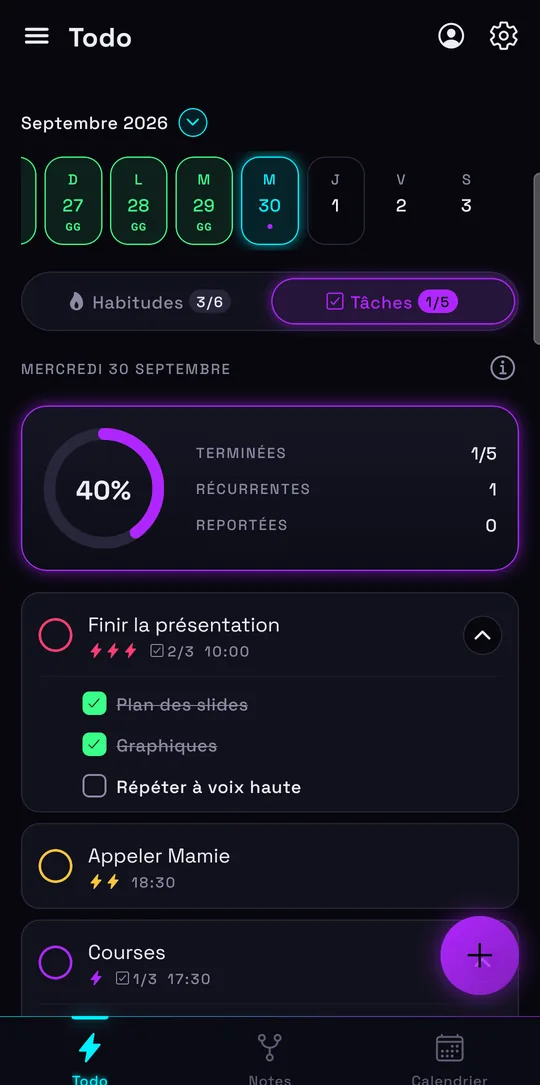
Plan your homework and studying day by day
In Lumina, a task belongs to a specific day. You pick the day in the calendar at the top, tap the +, and your homework is planned. For the big chunks, subtasks make all the difference:
- “Study for the math test” split into chapter 1, chapter 2, worked exercises.
- A time and a priority so you know where to start.
- Recurring tasks for whatever comes back every week.
- A task you didn’t finish moves to the next day: nothing slips through the cracks.
The free version allows 10 tasks per day, with unlimited subtasks: enough to split every study session into steps that are easy to check off. Already running your classes in Todoist? Our comparison with Todoist says what changes.
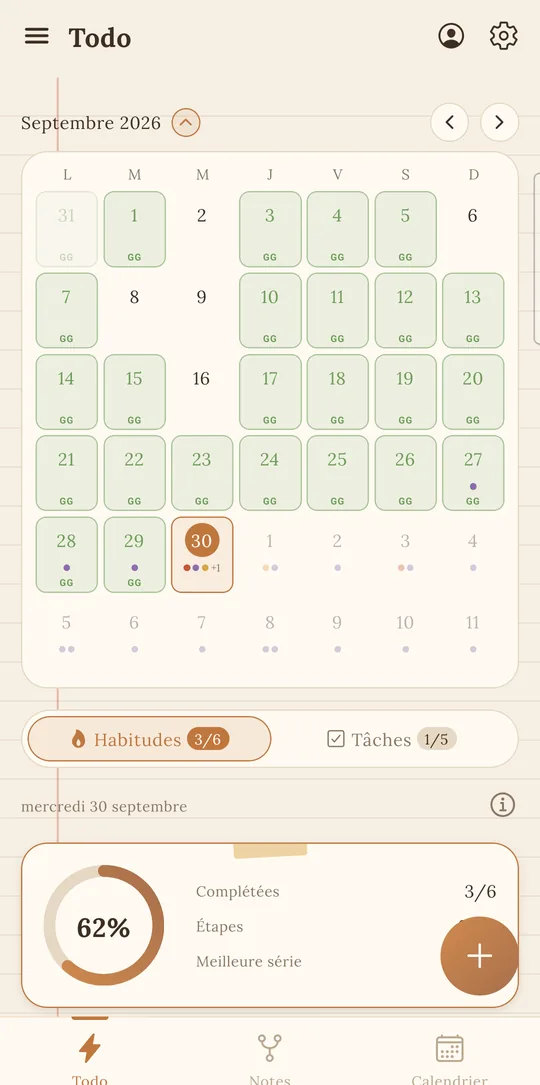
A student calendar connected to Google Calendar
Your class schedule, exam dates or work shifts are in Google Calendar? Sign in with Google and your events show up in Lumina, among your dated tasks.
- Day, 3 days, Week, Month and Schedule views.
- Create, edit or delete an event without leaving the app.
- Included in the free version.
All the details are on the to-do list and Google Calendar page.
Study habits that last all year
Passing your year rarely comes down to an all-nighter before the exam. It’s more about a little work every day. Turn that into habits: “Study for 25 minutes”, “Review today’s class”, “In bed before 11 p.m.”.
Each habit shows its streak and can have several reminders. Watching your study streak climb is surprisingly motivating. To go further, check out our habit tracker.
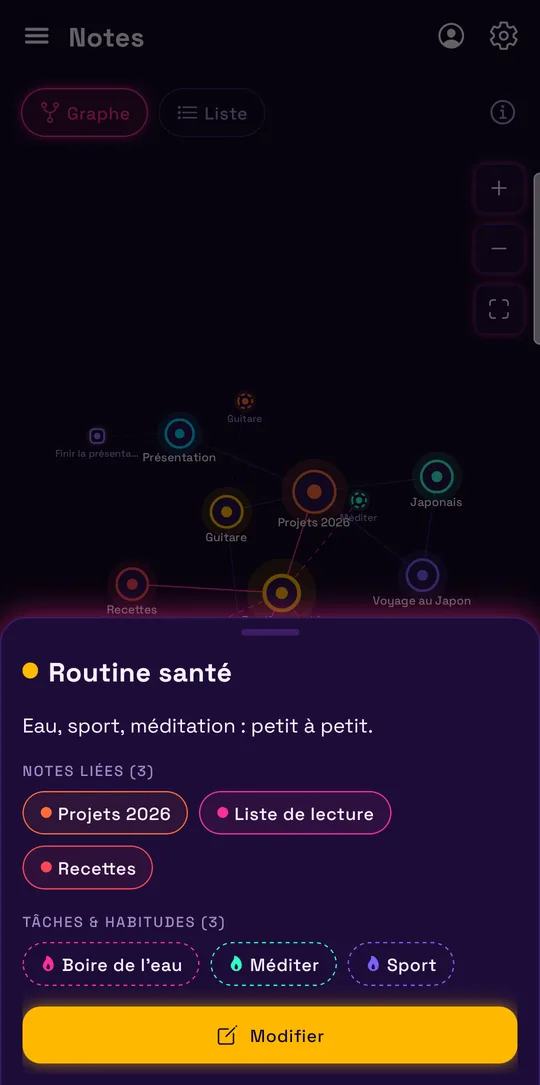
Your classes as linked notes, your second brain
Lumina’s notes link to each other and to your tasks. Example: a “Math” note linked to “Tuesday’s test” and to the “Study” task. The graph shows all these links at a glance, and a simple list is still there if you prefer.
Handy for making study sheets, keeping the instructions for a presentation or listing the books to read this semester.
Get organized together, at a student price
Group project, class reps, student club: create a group, invite the others by email and share tasks (homework, assignments, presentation prep). Everyone checks off what they’ve done. It’s all explained on the shared to-do list page.
The essentials are free and ad-free. The Student plan costs €19.99 a year (that’s €1.67 a month) or €2.49 a month, no commitment, and unlocks unlimited habits, tasks and notes, plus every theme. And since the app works offline, it follows you into the lecture hall even without Wi-Fi.
Frequently asked questions
How do I organize my studying with Lumina?
Create a task per subject or per exam, split it into subtasks (chapters, exercises), add a daily study habit with a reminder, and show your exam dates from Google Calendar.
What happens if I don’t finish a task?
It automatically moves to the next day. You have nothing to copy over.
How much does the Student plan cost?
€2.49 a month or €19.99 a year, no commitment. The free version stays available with no time limit.
Can I share homework with my class?
Yes, with groups: you create a group, invite your classmates by email and share homework. Groups require Google sign-in.
Does Lumina work offline?
Yes. Habits, tasks and notes work offline; sync happens when you’re back online, if you’re signed in with Google.
Other ways to get organized
Track your habits
Streaks, daily goals, reminders and widgets: a free habit tracker that keeps you going.
Share a to-do list
A group task list for your class, your team, your club or your family.
Bring tasks and calendar together
Your dated tasks and Google Calendar events in the same calendar.
Discover Lumina
Every feature, the 9 themes and the app’s pricing.
Ready to try it? It’s free.
No ads, no account required, on Android and in your browser.