Google Tasks alternative: your to-do list, habits and calendar
Google Tasks is Google’s free to-do list: lists, subtasks, dates, and a place in Gmail and Google Calendar. Lumina doesn’t live in Gmail; it brings your tasks, habits, notes and Google Calendar together in one app. Here’s what changes, including what you’d lose by leaving.
The short answer
If you create your tasks from Gmail, want to see them in Google Calendar and a simple list is enough, keep Google Tasks: it’s free and already in your Google account. If you also want to track habits, take notes and plan your day in an app built for that, Lumina is worth a try.
Both are free. Lumina imports all your Google Tasks lists from a single file, so you can compare for a week without retyping anything.
Lumina and Google Tasks, side by side
| Criterion | Lumina | Google Tasks |
|---|---|---|
| Price | Free with no time limit and no ads: 3 habits, 10 tasks per day. Student: €2.49 a month or €19.99 a year. Pro: €4.99 a month or €39.99 a year | Free. Assigning a task in Google Docs requires an eligible Google Workspace edition |
| Organization | By day, with time, 3 priority levels, subtasks and recurrence; undated tasks. No lists | Lists, subtasks, details, date and time, deadline, a star for important tasks |
| Number of tasks | Unlimited with Student or Pro; 10 per day on the free plan | Up to 100,000 tasks, with 20,000 uncompleted tasks per list |
| Recurrence | Every N days, weeks, months or years, some weekdays, the 2nd Monday of the month… A recurring task can have subtasks | Every day, week, month or year, with an end. Shared tasks, subtasks and tasks with subtasks can’t repeat |
| Google Calendar | Seven views in the app; create, edit, move and delete events. Your dated tasks show among your events, without being copied to Google Calendar | Dated tasks appear in Google Calendar itself; you can create a task from the calendar |
| Gmail and Workspace | No integration | Side panel in Gmail, Calendar, Chat, Drive, Docs, Sheets and Slides; tasks created from an email |
| Habits | A dedicated space: streaks, daily goal, several reminders | No dedicated space in its help pages; repeating tasks |
| Notes | Notes linked to each other, to tasks and to habits, as a graph or a list | Details added to a task |
| Working together | Groups with roles and per-member progress; Google sign-in required | Tasks assigned in a Google Chat space, and in Docs with an eligible Workspace edition |
| Account | Works offline and without an account; Google sign-in is for sync, the calendar and groups | Google account; on a work or school account, the administrator controls access |
| Devices | Android and web app (iPhone, iPad, Mac, PC in the browser) | Android, iPhone and iPad (iOS 17 or later), web in Google Calendar and the side panels |
| Focus and motivation | Pomodoro timer, statistics, XP, levels, companions, 9 themes | Not mentioned on its official pages |
The information about Google Tasks comes from Google’s official pages on November 7, 2026. The links are at the bottom of this page.
When to keep Google Tasks
Google Tasks does few things, but it does them where you already work. Keep it in these cases:
- You live in Gmail. An email becomes a task in one click, and the Tasks panel follows you into Gmail, Calendar, Chat, Drive and Docs. Lumina has no Gmail integration.
- You want your tasks in Google Calendar. A dated Google Tasks task shows in Google Calendar, on the web and in the app. Lumina’s tasks stay in Lumina.
- Your team works in Google Workspace. Tasks assigned in Chat spaces, tasks assigned in Docs with an eligible edition: Lumina doesn’t plug into any of that.
- You have lots of tasks and no budget. Google Tasks is free up to 100,000 tasks. Lumina’s free version stops at 10 tasks per day and 3 habits.
- You sort everything into lists. Google Tasks lets you keep one list per topic or client. Lumina sorts your tasks by day.
- You want a native iPhone or iPad app. Google Tasks is on the App Store; on those devices, Lumina is the web app.
When Lumina is the better fit
Lumina makes sense when a to-do list alone no longer holds your day together:
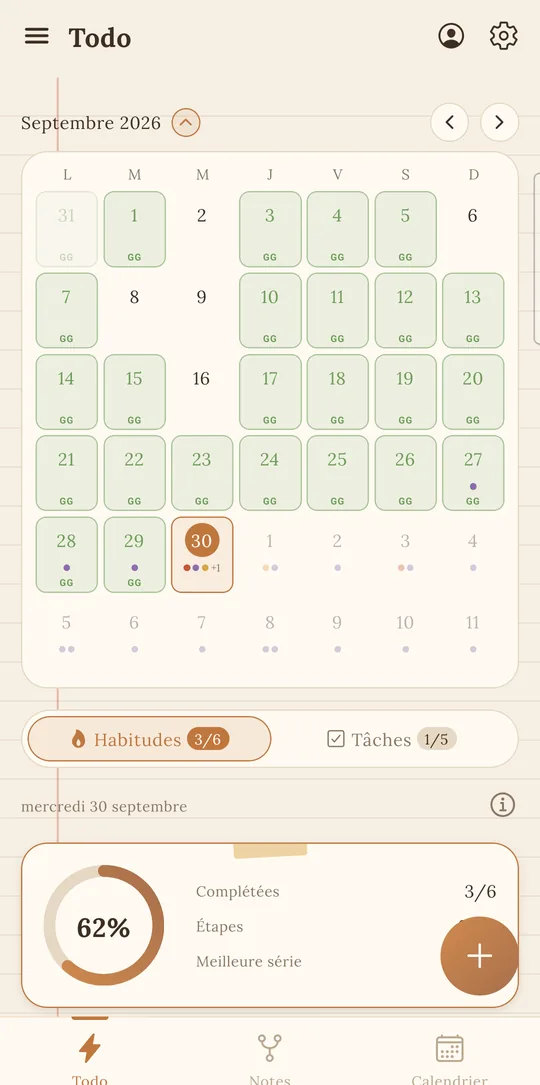
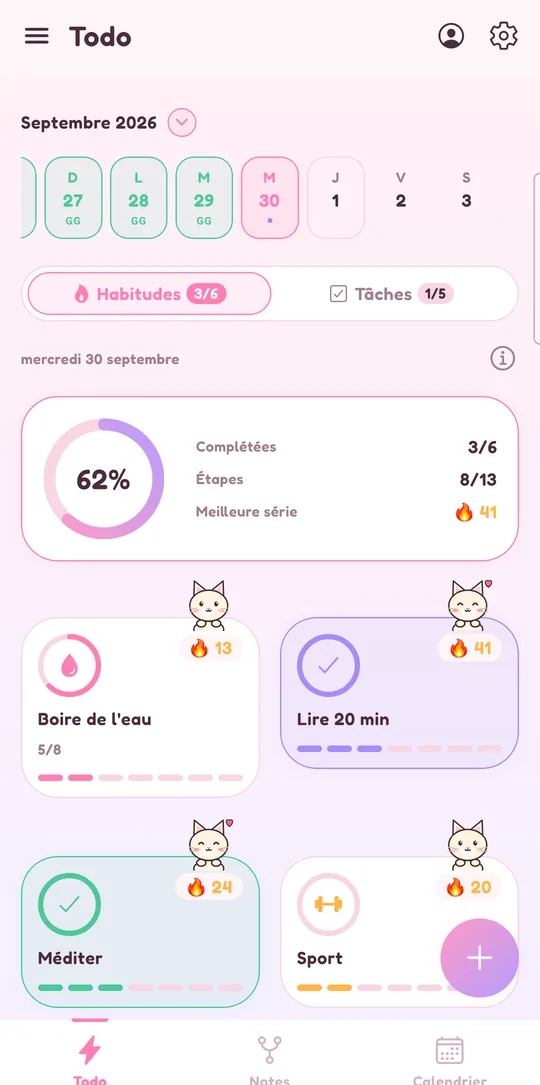
- You want to track habits. In Google Tasks, a habit is just a task that repeats. Lumina gives habits their own space, with streaks, daily goals and reminders: see the habit tracker.
- You want your calendar inside your to-do list. Lumina shows your Google Calendar in seven views (Day, 3 days, 4 days, Week, Month, Year, Schedule), with your dated tasks among your events, and you create or move events without switching apps. It’s all explained on the to-do list and Google Calendar page.
- You want priorities. Lumina has three priority levels, and its quick add reads the date, time and priority from what you type (“tomorrow 6pm call grandma !!”). Google Tasks marks important tasks with a star.
- Your recurring tasks have steps. In Lumina, a recurring task can have subtasks; in Google Tasks, a task with subtasks can’t repeat.
- You want it all in one app. Linked notes, a Pomodoro timer tied to a task, statistics, Android widgets and shared groups for a class or a club, without Google Workspace.
- You’re a student. Student costs €19.99 a year, and no version shows ads. For classes and exams, see the student planner.
Moving from Google Tasks to Lumina
Lumina imports the Tasks.json file from Google Takeout, which holds all your lists:
- On takeout.google.com, export “Tasks”, then unzip the archive you receive.
- In Lumina, open settings and choose “Import from Todoist or Google Tasks”.
- Pick the Tasks.json file: Lumina shows how many tasks it found before importing.
- That’s it: one import covers all your lists. Importing the same file again on the same device adds no duplicates.
What comes across: the unfinished tasks of all your lists, with their title, details (in the task’s note), date and subtasks. Undated tasks stay in today’s list until you do them. A few things to know first:
- Lists aren’t kept: all tasks land in Lumina, sorted by date.
- Only the date comes across, not the time. A repeating task arrives as a one-off task: set the recurrence again by hand.
- Stars, completed tasks and deleted tasks aren’t brought over.
- The free version stops at 10 tasks per day, and undated tasks count for today. After moving to Student or Pro, import the file again: only the missing tasks are added.
- After the import, the two apps are independent: nothing syncs with Google Tasks.
Sources and date checked
Information about Google Tasks checked on November 7, 2026, on Google’s official pages. Google Tasks and Google Calendar are trademarks of Google LLC, unrelated to Lumina.
- Google Tasks Help: learn about Google Tasks
- Google Tasks Help: add or edit a task
- Google Tasks Help: repeating tasks
- Google Tasks Help: prioritize tasks with stars
- Google Tasks Help: organize your tasks
- Google Calendar Help: tasks in Google Calendar
- Google Tasks Help: export your data
- Google Tasks on Google Workspace
- Google Tasks on the App Store
- Google Tasks on Google Play
Frequently asked questions
Does Lumina sync with Google Tasks?
No. Lumina imports the Tasks.json file from Google Takeout once, and then the two apps are independent. A task checked off in Lumina stays open in Google Tasks, and the other way around.
Do my Lumina tasks show up in Google Calendar?
No, they aren’t copied to Google Calendar. In Lumina’s calendar, though, your Google Calendar events and dated tasks show together, and you can create, edit and delete your events.
What does the Google Tasks import bring over?
The unfinished tasks of all your lists, with their title, details, date and subtasks. Lists, times, repeats, stars and completed tasks aren’t brought over.
Is Lumina free like Google Tasks?
Yes, with no time limit and no ads, but with 3 habits, 10 tasks per day and 1 group created. Student (€2.49 a month or €19.99 a year) lifts those limits. Google Tasks is free and holds up to 100,000 tasks.
Does Lumina have an iPhone app?
Not on the App Store. On iPhone, open lumina-app.me/app in Safari, then tap “Add to Home Screen”. If you want a native app on iPhone or iPad, Google Tasks has one.
Other ways to get organized
Compare with Todoist
Pricing, habits, calendar and import: what changes, and when to keep Todoist.
Compare with Habitica
A role-playing game or your whole day in one place: what changes, and when to keep Habitica.
Compare with TickTick
Tasks, habits, calendar and groups: what Lumina does differently, and when to keep TickTick.
Compare with Microsoft To Do
Outlook, habits, Google Calendar and sharing: what changes, and when to keep To Do.
Compare with Notion
Notion for your docs and wiki, Lumina for your to-do list, habits and calendar.
Track your habits
Streaks, daily goals, reminders and widgets: a free habit tracker that keeps you going.
Bring tasks and calendar together
Your dated tasks and Google Calendar events in the same calendar.
Discover Lumina
Every feature, the 9 themes and the app’s pricing.
Ready to try it? It’s free.
No ads, no account required, on Android and in your browser.